Windows collects logs of every event that happens in its programs. The logs are collected and can be viewed in the event viewer.
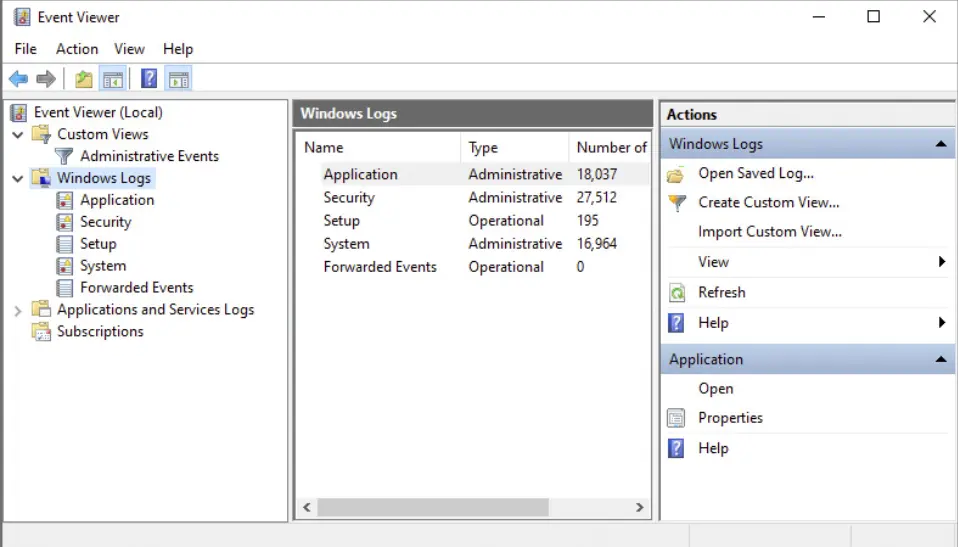
Logs
C:\Windows\System32\winevt\Logs
Windows Logs
There are 4 categories within windows’ logs:
- System: Logs about drivers and system files
- Application: Logs generated from applications that are not included in the System category
- Setup: Records setup and update events
- Security: Security events and failed authentication events. These are incredibly common
Event Levels
- Verbose: Extra information that may be useful in troubleshooting
- Information: Something that suceeded
- Warning: Events that warn of future issues
- Error: Something went wrong
- Critical: Unexpected behaviors like sporadic system shutdowns
Custom Views
These are log filters.
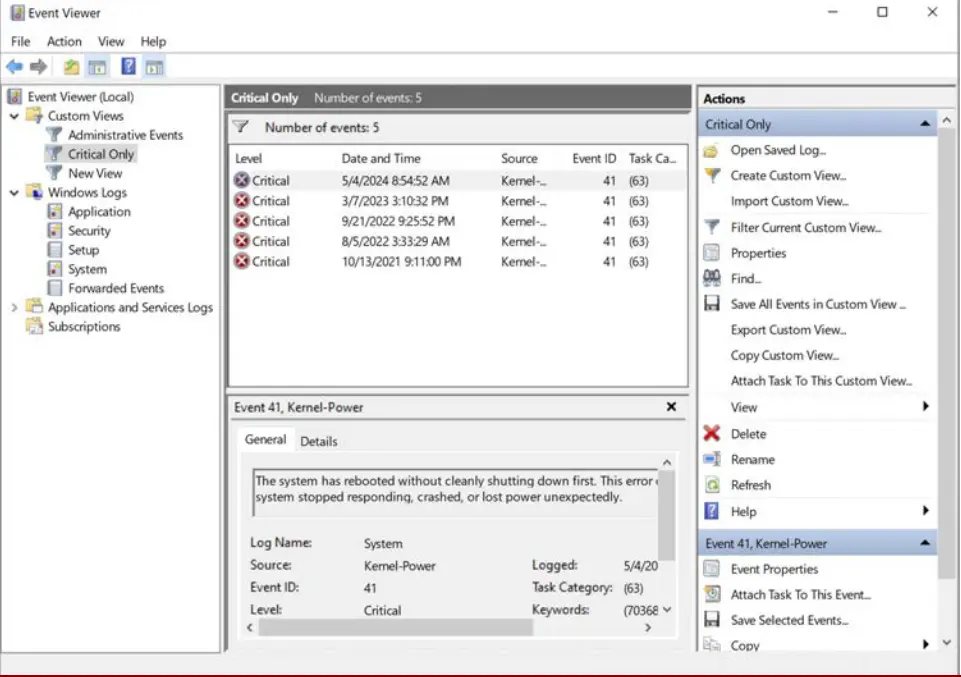 If you want to make your own, then right click custom view key > Create Custom View.
Common Event Ids
- 4624: Logon events
- 4648: Admin logon
- 4656: Access attempt to object is made
- 4658: Accessing of object ended
- 4660: Object is deleted
- 4663: Attempt to open object (4656) is successful
- 4698: Scheduled task created
- 4698: Scheduled task created
- 4699: Scheduled task deleted
- 4700: Scheduled task enabled
- 4701: Scheduled task disabled
- 4702: Scheduled task updated